To migrate an affiliate program to new software, export your roster with commission rates and tax records, move only the historical data you need, set up tracking on the new platform, run both systems in parallel for two to four weeks, redirect your old links, then tell your affiliates what changed. The order matters more than the speed.

Most affiliate managers put off a software migration for a year longer than they should. I get it. You’re picturing broken links, lost commissions, and forty angry emails from your best partners asking why their dashboard is empty. So you stay on a platform you hate, paying for reports you can’t read, because the alternative feels like open-heart surgery on your revenue.
A migration goes badly when you do the steps out of order. Announce before tracking works and you’ve told 300 people to go break something. Redirect links before you’ve confirmed attribution and you’ll spend a month reconstructing commissions from memory. Do it in sequence and the whole thing is boring, which is the goal.
Why affiliate program migrations go wrong
Three failures cause most of the damage, and all three are sequencing problems.
The first is data loss you didn’t plan for. Some platforms let you export affiliate records but not commission history, or they export commission history without the affiliate IDs attached, which makes the file useless. You find out about this after you’ve canceled your old subscription and lost portal access. Export first. Cancel last.
The second is a tracking gap. Your old pixel stops firing at 11:59 p.m. and your new one starts at 12:15 a.m., and the sixteen minutes in between belonged to somebody. Multiply that by a launch week and you have real money going unattributed. How Affiliate Tracking Works explains what’s happening under the hood, which helps when you’re trying to figure out where a click went.
The third is silence. You migrate on a Tuesday and email affiliates on Friday. In those three days, your top partner noticed her clicks weren’t registering, assumed you were stiffing her, and pulled your offer out of her nurture sequence. She’s not coming back with a follow-up email. That relationship took you eight months to build and four days of quiet to damage.
How long does an affiliate program migration take?

Plan for three to five weeks end to end for a program with more than 100 affiliates. Here’s the realistic breakdown:
- Export and audit your data: 2 to 4 hours
- Decide what history moves: 1 hour
- New platform setup and tracking install: 30 minutes to 2 days depending on the software
- Parallel run: 2 to 4 weeks
- Link redirects: 1 to 3 hours
- Affiliate communication: spread across the full window
The parallel run eats the calendar. Everything else is a workday. And the parallel window shrinks dramatically if your new platform gets you live in one session instead of stringing setup across a week of support tickets, which is the whole argument for choosing software with a guided setup.
If you’re migrating right before a launch, don’t. Give yourself a full sales cycle of quiet time on the other side. I’ve watched a manager cut over eleven days before a seven-figure launch and spend the entire promotion reconciling two sets of numbers instead of coaching affiliates.
Step 1: Export your affiliate roster with commission rates and tax records
Pull everything while you still have portal access. At minimum you need name, email, affiliate ID, signup date, commission rate, payment method and payment details, tax form status, and any custom rate overrides.
Custom overrides are the field people forget. You gave four affiliates 40% instead of 30% two years ago, it lives in a settings screen rather than the main roster export, and you won’t notice it’s missing until one of them emails you about a short payment. Open the per-affiliate settings and write those down by hand if the export won’t include them.
Tax records deserve their own file. W-9s, W-8BENs, and year-to-date payment totals matter for 1099 filing whether or not the affiliate is still active. Download the PDFs. Don’t assume the new platform will accept an import of them.
Also grab your terms. If your agreement references your old platform by name or points to a portal URL that’s about to die, you’ll need to update it. How To Write An Affiliate Program Agreement covers what belongs in there.
Your payout obligations don’t pause during a migration, and affiliates notice a late check faster than they notice a new dashboard. How to Pay Affiliates walks through payout schedules and the mistakes that create support tickets, which is worth reading before you change the system that cuts the checks.
Step 2: Decide how much historical data needs to move
 Managers waste weeks trying to import five years of click data into a new platform. You almost never need it.
Here’s what has to come across: the active roster, current commission rates, unpaid commission balances, and tax documentation. That’s the operational set. Without it you can’t pay people correctly next month.
Here’s what’s nice to have: lifetime earnings per affiliate, so your tier logic still works and your top-25 list stays accurate. Most platforms accept this as a single number per affiliate rather than a transaction-level import, and one number per person is a ten-minute job instead of a ten-day one.
Here’s what you can leave behind: individual click logs, expired cookie records, old creative assets nobody used, and affiliates who haven’t logged in since 2022. Archive the exports to cloud storage and move on. If you need a 2023 number for an audit someday, you’ll open a CSV.
One caveat on the dormant accounts. Before you cut them, check whether any have an unpaid balance sitting below your payout threshold. Those balances are still owed. Pay them out or carry them over, but don’t delete them.
Step 3: Set up tracking on the new platform before anything else goes live
Install the new tracking, then test it with real transactions before a single affiliate hears about the change.
Run a test purchase through a test affiliate link on desktop. Run another on mobile. Run one where the buyer clicks, leaves, comes back three hours later on a different browser, and buys. That last one is how you find out whether cross-device attribution works the way the sales page promised.
Check your attribution settings match what you had before. If your old platform ran last click with a 60-day cookie and your new one defaults to first click with 30 days, you’ve quietly changed the deal for every affiliate in your program. That’s a terms change, and you owe people notice. Affiliate Attribution Models Explained and What is a good affiliate cookie duration? both matter here, because migration is when these settings get changed by accident.
Verify refund handling too. Ask the platform how a refund on day 40 reverses a commission you already approved on day 12, and whether the reversal shows up in the affiliate’s log where they can see it. Silent clawbacks generate more angry emails than any other single thing in affiliate management.
Step 4: Run both systems in parallel for a defined window
 Keep the old platform live and paid for while the new one runs, and compare the two daily. Two to four weeks is the standard window. Under two weeks you haven’t seen a full buying cycle. Past four weeks you’re paying two subscriptions to avoid making a decision.
Compare three numbers every morning: total clicks, total conversions, and total commission dollars. If the new platform reports within 2 to 3 percent of the old one, your tracking is fine and the difference is bot filtering or timezone boundaries. If it’s off by 15 percent, stop and find out why before you go further.
Set an end date and put it on the calendar. “We’ll run parallel until it feels right” turns into four months of double subscriptions and split reporting. Pick a date, tell your team, and cut over on it.
During the parallel window, pay commissions from one system only. Choose the old one until cutover day. Two payment sources means one affiliate gets paid twice and another gets missed, and you’ll spend a week untangling it. Affiliate Program KPIs covers which numbers to watch when you’re comparing two data sets.
Migration is one of maybe six decisions that shape how your program runs for the next five years. The Book on Affiliate Management covers the full system I used to build a $1 million per month program, including the operational decisions most managers make by default instead of on purpose.
Step 5: Redirect your old affiliate links
Every link your affiliates have already published stays published. Blog posts from 2021, YouTube descriptions, pinned tweets, resource pages, email autoresponders running on a five-year sequence. You cannot ask people to go update all of it, and if you do, half of them won’t.
Map old affiliate IDs to new ones and build 301 redirects that carry the affiliate parameter through. If Sarah was ID 4471 on the old system and ID 88 on the new one, a hit to your old tracking URL with 4471 has to land on the new URL with 88 and register the click.
Test ten redirects manually before you trust the batch. Pick your five biggest affiliates plus five random ones. Click each link, buy something, confirm the commission lands on the right account. How to Track Affiliate Links is useful background if you’re building the mapping yourself.
Keep the redirects live for a minimum of twelve months. Old content keeps sending traffic long after you’ve forgotten it exists, and the cost of maintaining a redirect table is near zero compared to the cost of a partner discovering her three-year-old review post has been sending you free traffic.
Step 6: Announce the migration to your affiliates
 Send three emails, not one. A heads-up, a go-live, and a follow-up.
The heads-up goes out seven to ten days before cutover. Tell them the date, tell them what changes for them, and tell them what does NOT change. That second part carries most of the weight. Affiliates read “we’re switching platforms” and immediately assume their commission rate is getting cut, because that’s how these emails usually go.
The go-live email lands the morning of the switch with their login instructions and their new links. Include the actual link, not a link to a page where they can generate a link. Every extra step you add loses another 20 percent of them.
The follow-up goes out three to five days later. Ask whether anything looks wrong. This email finds problems your testing missed, and it tells your partners you’re paying attention.
Send all three from a person, not from a no-reply address. When somebody replies “my dashboard shows zero clicks,” you want that landing in an inbox a human reads.
What to put in your migration email to affiliates
A migration email that costs you partners usually reads like an internal memo. It leads with the platform name, uses the word “exciting,” and buries the one thing the affiliate cares about in paragraph four.
Lead with what stays the same. “Your commission rate is not changing. Your cookie window is not changing. Your unpaid balance carried over in full.” Then explain the change.
Give them a specific date and time with a timezone. “We’re switching over the weekend” produces a week of confused support emails.
Include their new link inside the email, personalized. Include their new login. Include one sentence on what’s better for them, because affiliates don’t care that your reporting improved, they care whether their payment gets there faster or their link stops looking like spam.
Close with a direct ask: reply to this email if anything looks off. Then answer every reply within a day during the first week.
Writing three migration emails from scratch takes longer than it should, especially the go-live one where the wording determines how many people log in. Grab my free affiliate email template, the same structure I’ve used to email thousands of affiliates across a dozen industries, and adapt it for your announcement sequence.
How to migrate to AffiliateHQ in under 30 minutes
I built AffiliateHQ because I spent twenty years running programs on software written by people who had never managed one. Migration was the worst part of every platform I used, so it’s the part I designed around.
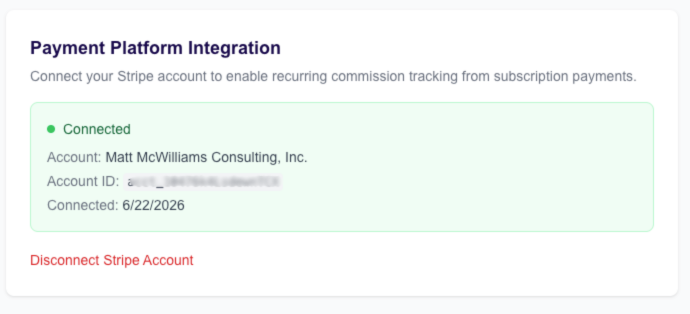
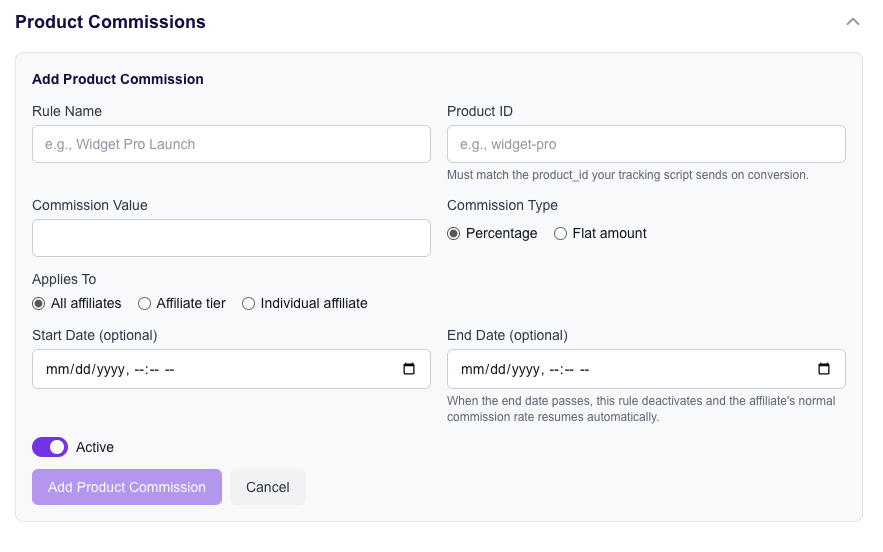
The setup runs as a seven-step wizard. You import your roster from a CSV, set your commission structure including per-affiliate overrides, paste three tracking snippets, configure your cookie window and attribution rule, connect your payment method, upload your terms, and go live. One session. Most managers finish in about 25 minutes.
The reason that matters for migration specifically: your parallel window is only as long as your setup takes plus your test period. If getting live burns six days of back-and-forth with a support queue, you’re carrying two subscriptions for six extra days and delaying your affiliate announcement the whole time. Get live in one sitting and the parallel run starts immediately.
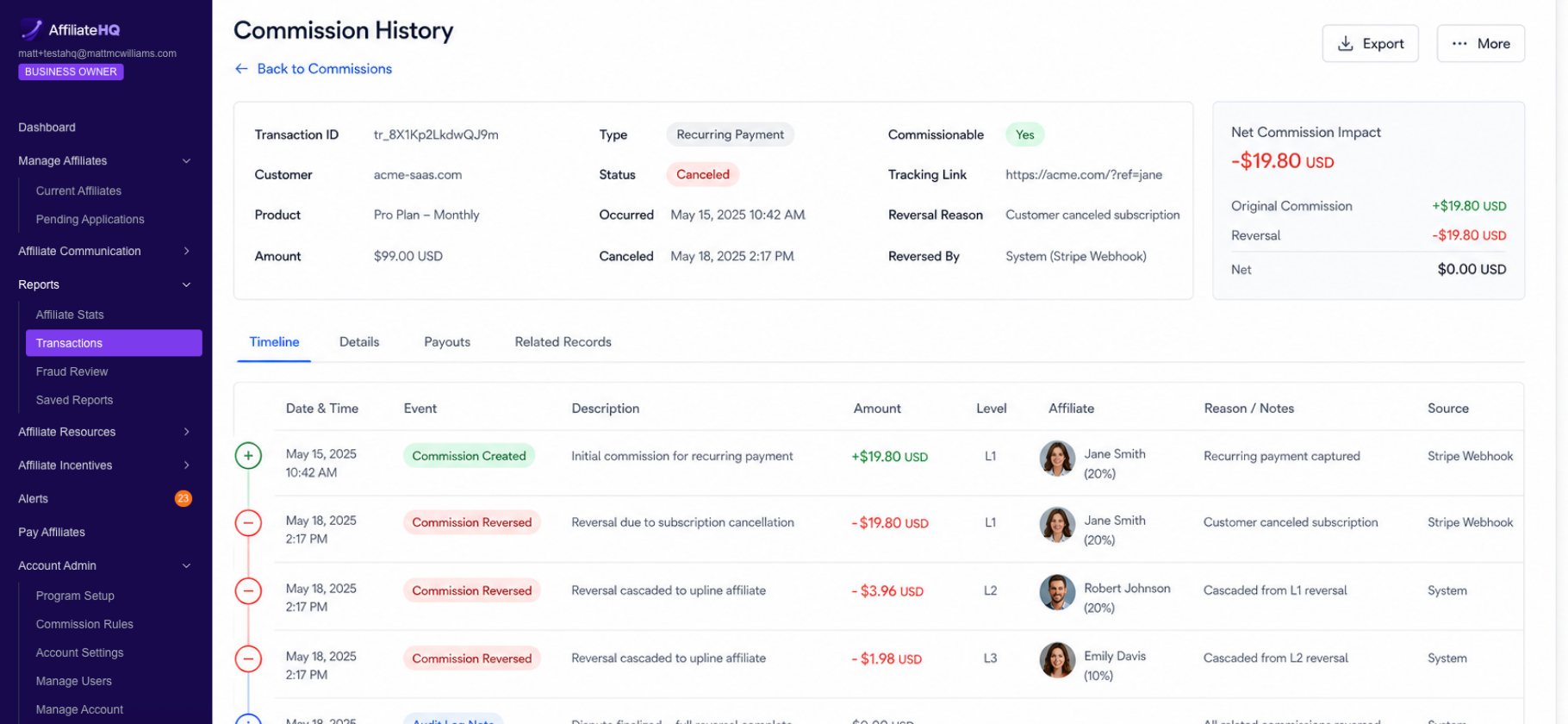
Per-affiliate overrides import directly, so the four partners you gave custom rates to years ago don’t quietly drop to your default. That single field is responsible for more post-migration commission disputes than anything else I’ve seen.
Vanity aliases are the other piece worth knowing about before you send that go-live email. Instead of handing Sarah a link ending in a raw ID number, she gets one with her name on it, running on your own domain, with no redirect service and no DNS configuration. Your migration email goes from “here’s your new tracking link, sorry for the hassle” to “here’s your new link, and it looks better than your old one.” That reframes the entire announcement.
If you’re comparing platforms before you commit to a move, look at how each one handles the import rather than how many integrations it lists. AffiliateHQ maps every feature to what I teach in The Book on Affiliate Management, including a migration path you can finish in one sitting instead of one quarter.
Migration mistakes that cost you affiliates
Canceling the old platform too early tops the list. Keep it active for 30 days past cutover even though you’re no longer using it. You will need to look something up. Access costs one more month of subscription. Losing access costs you a reconstruction project.
Changing commission terms during the migration is the second one. If you want to restructure your tiers, do it 60 days before or 60 days after, never during. Affiliates who get a platform change and a rate change in the same email assume the platform change was cover for the rate cut, and some of them will be right about programs they’ve dealt with before.
Skipping the parallel run to save $99 is third. That $99 is cheap insurance against a month of unattributed sales.
Migrating during a launch is fourth, and I’ve already said my piece there.
The fifth one is quieter. Managers migrate, get through the technical work, and never go back to check whether affiliates who used to promote are still promoting. Pull your active affiliate count 30 and 60 days after cutover and compare it to your pre-migration number. If it dropped more than 10 percent, somebody’s links are broken or somebody never got the login email. How to Handle Affiliate Disputes covers what to do when the fallout reaches you directly.
What to do next
 Three moves, in order.
Export your full roster today, including per-affiliate rate overrides and tax documents, and store it somewhere outside the platform. Do this even if you’re not migrating for six months. If your provider raises prices or sunsets a feature, you’ll want that file already sitting on your drive.
Pick your platform based on the import path and the tracking test, not the feature list. Ask the sales rep to walk you through a CSV import and a refund reversal on a live call. Best Affiliate Program Software breaks down the main categories, and Affiliate Network vs. In-House Program is worth reading if you’re also reconsidering whether to stay on a network at all.
Write your three affiliate emails before you touch the technical setup. Drafting the go-live email first forces you to answer the questions your partners will ask, and you’ll find gaps in your plan while they’re still cheap to fix.
Still unsure whether a migration is the right call this quarter or whether your current problems are program problems rather than software problems? Book a free 20-minute coaching call and we’ll look at your program together and map out what to do in the next 30 to 60 days.